
aisling · the add-on screen
a touch screen for the FM-1 · made and tried on one FM-1, on AISLING 1.3
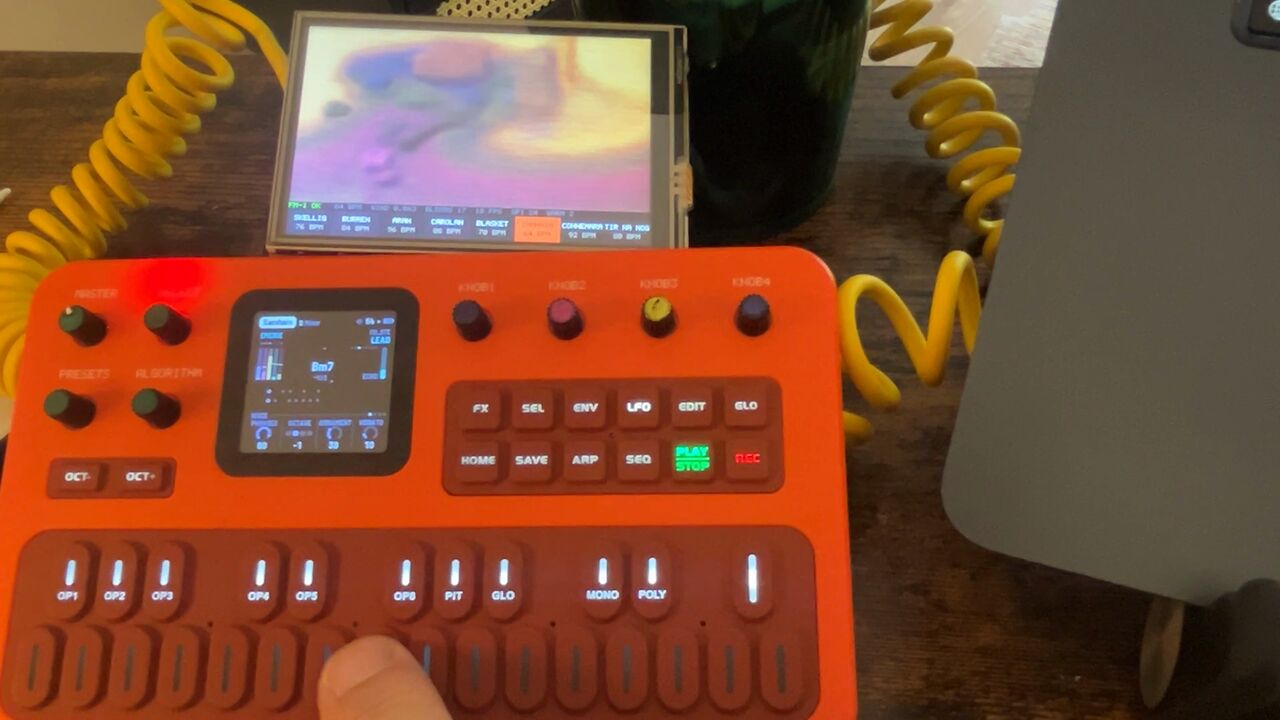
A 3.5-inch touch screen that sits beside the FM-1 and gives it a second, bigger screen. It has four pages:
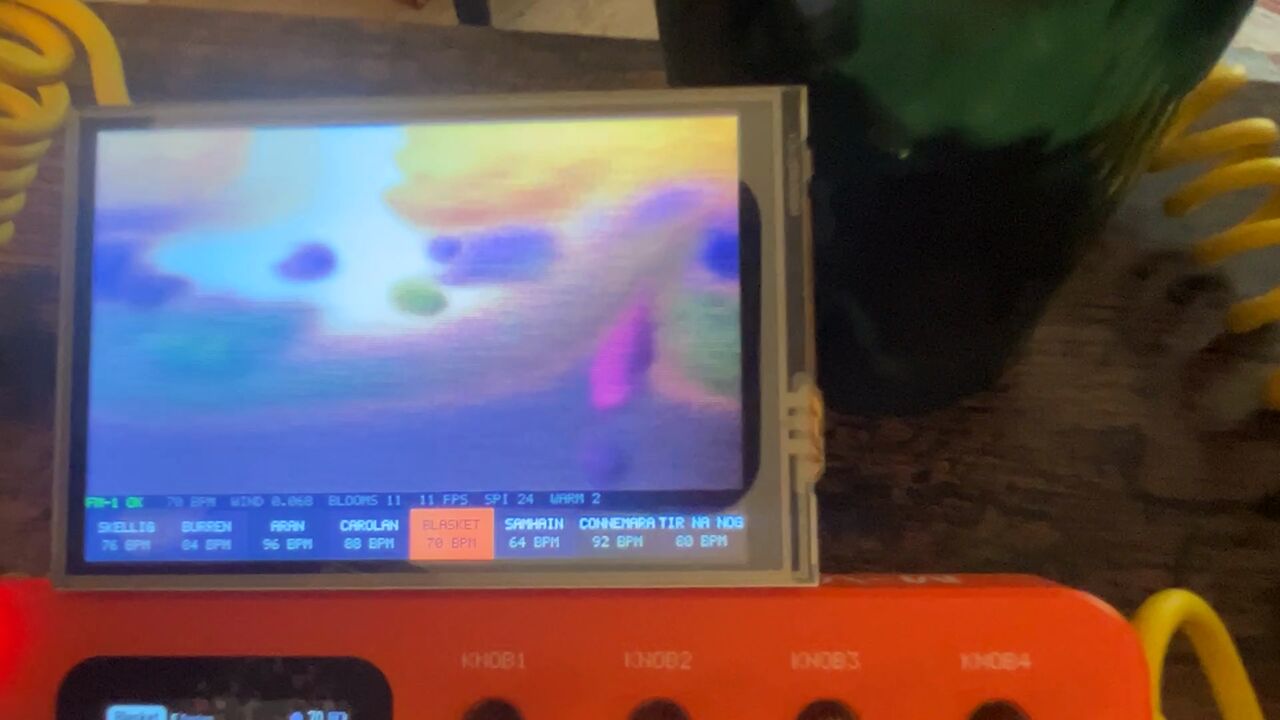
- The landscape. The visualiser's Irish landscape, painted from what the FM-1 plays: the flute the sky, the harps the hills and fields, the drone the bog. A strip of the eight pieces runs along the bottom; touch one and the FM-1 changes to it.
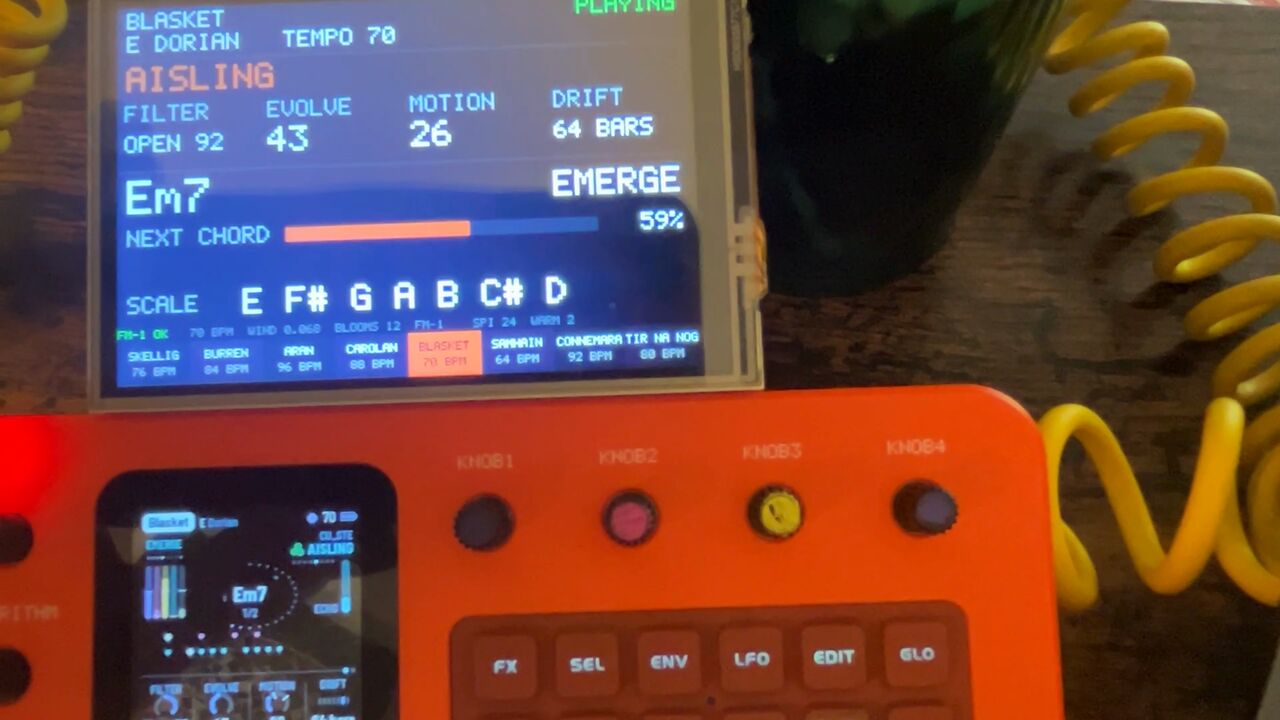
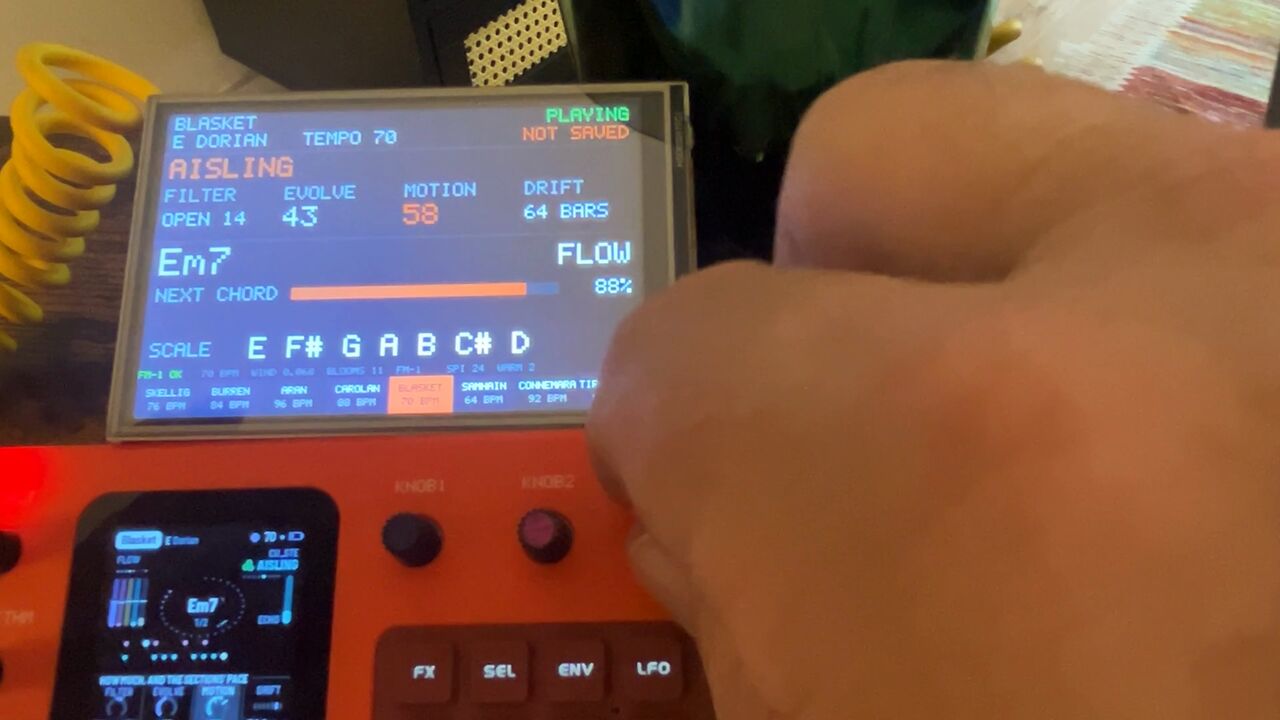
- The FM-1's own screen, bigger: the page, the four knobs and their values, as AISLING shows them. Drag a knob sideways and the FM-1's knob turns.
- PERFORM's flash: hold an effect on the FM-1's PERFORM page and the box fills with that effect's colour and name for a second, as the FM-1's own screen does.
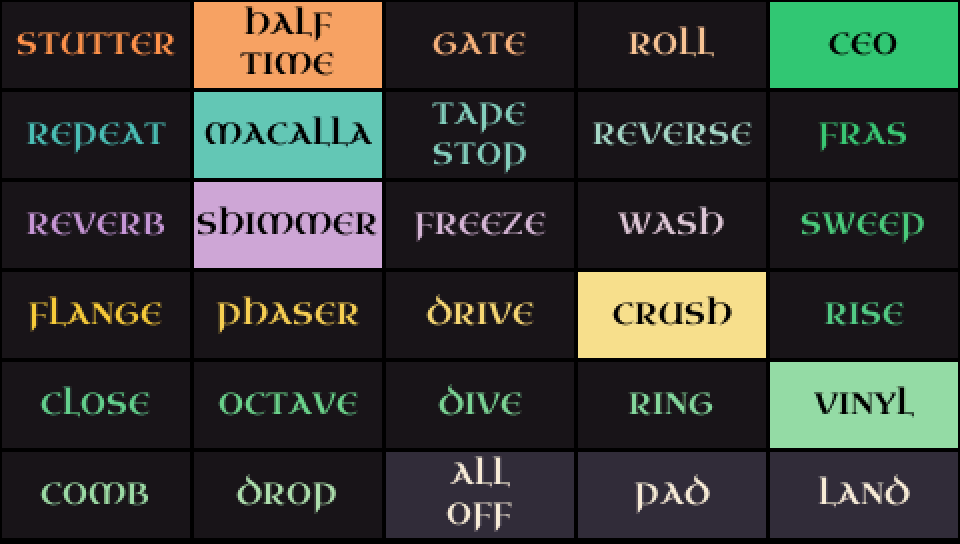
- The effects, new in the eighth build: all 27 of PERFORM's effects as a grid of cells. Tap one and it's held; tap it again and it's let go. Several can be held together, and ALL OFF lets everything go.
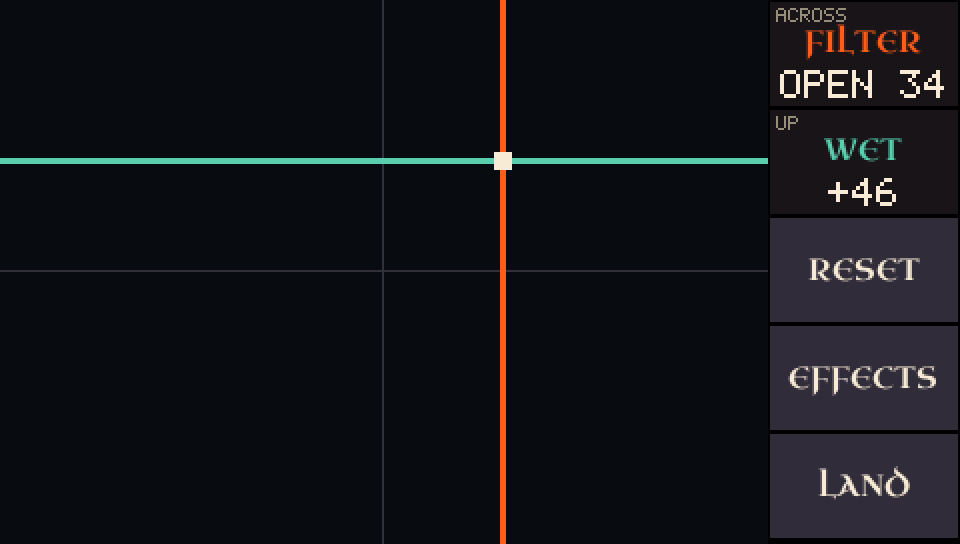
- The pad, new too: one finger moves two of PERFORM's knobs at once, Filter across and Wet up to start with. Energy and Chorus can take either place.
It's two cheap boards pushed together, with no computer in the loop: the FM-1 plugs into the box, and the box into a USB charger. Nothing changes on the FM-1 but one setting.
Watch the touchscreen demoWatch PERFORM playedWatch the first test
You can make one: the parts are below, and the box's program is a ready-built file you drag onto the board. It's the eighth test build, the one on mine, for this board and this screen only.
What it looks like
What you need
| Part | What it does | Where |
|---|---|---|
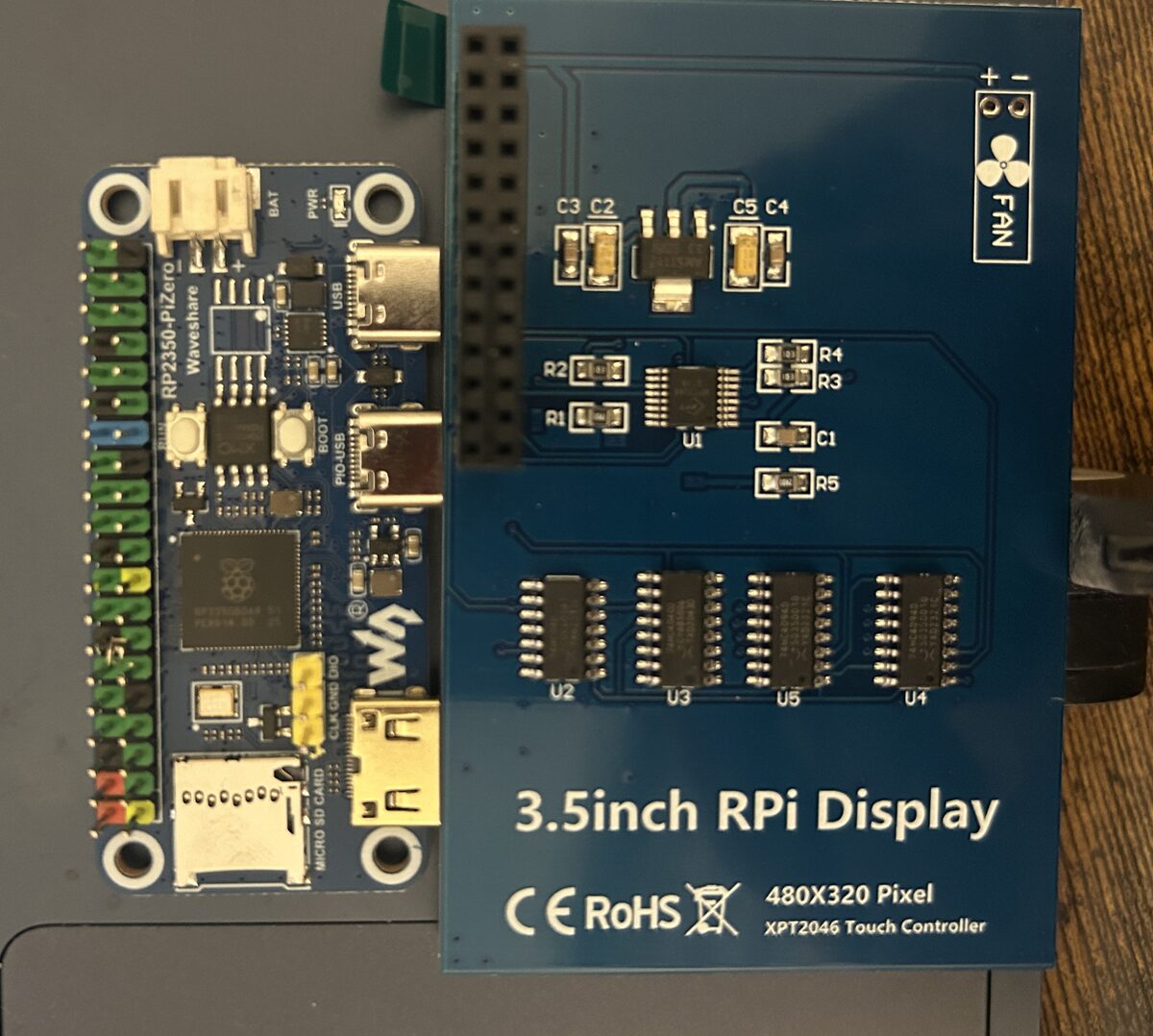
| Waveshare RP2350-PiZero | The brains: a Raspberry Pi RP2350 chip on a board the shape of a Pi Zero, with two USB-C sockets. One of them can be a USB host, which is what lets the FM-1 plug straight into it. | adAmazon |
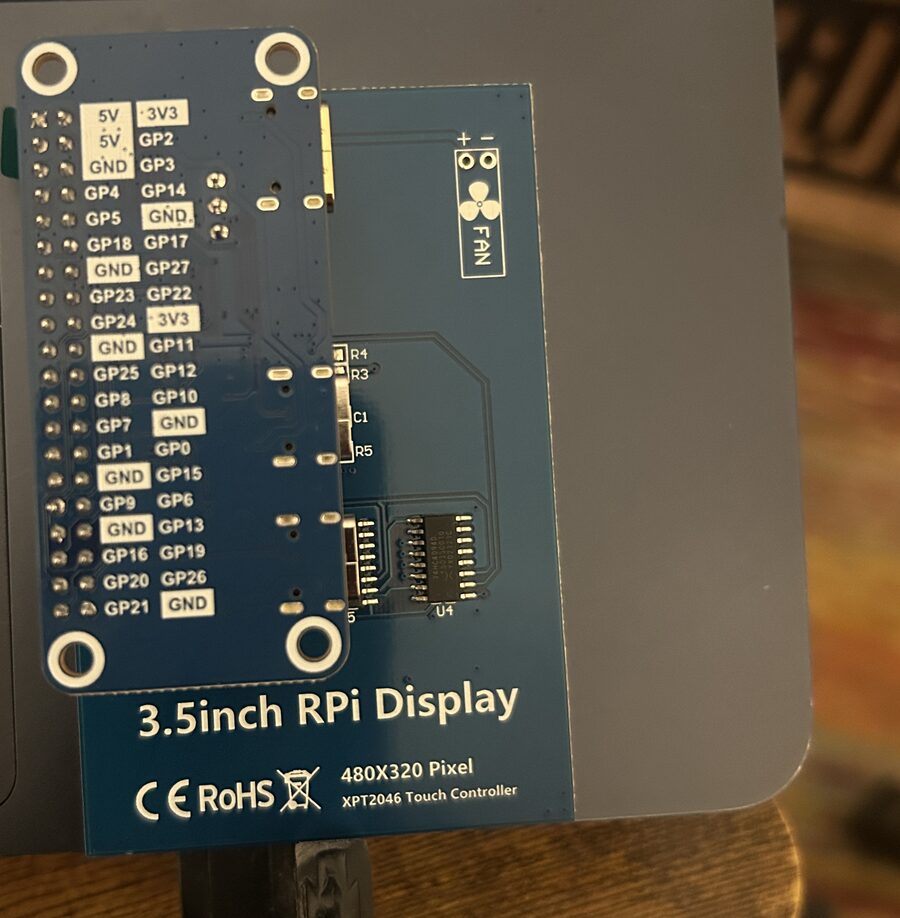
| ELEGOO 3.5" touch screen for Raspberry Pi | 480 × 320, SPI, with a resistive touch layer and a pen. Made for a Raspberry Pi's header, so it pushes straight onto the RP2350-PiZero's. | adAmazon |
| USB-C to USB-C data cable | From the box's PIO-USB socket to the FM-1. It must carry data, not just charge. | adAnker |
| Power: a USB cable and a supply | Into the box's other socket, marked USB. Any USB charger or power bank, or a computer. The box powers the FM-1 too. A power bank needs to be one that stays on at a small load. | adA to C cable adpower bank |
| An FM-1 on AISLING 1.3 | Free. This build knows 1.3's knobs; there's an older one for 1.2 below. | install buy an FM-1 |
The same parts are on one card in the store, with the rest of the FM-1's kit: the screen kit.
No soldering on mine: the board came with its header fitted and the screen pushes onto it. If yours comes without a header, it needs one soldered on first. Something to prop it up behind the FM-1 helps.
How it was done
- The FM-1 is a USB MIDI device, and AISLING sends everything it plays out of its USB socket: the drone, the harps and the flute on channels 1 to 4, and the clock. The RP2350 runs as a USB host on its second socket (in software, with Pico-PIO-USB), so the FM-1 plugs into it as it would into a computer.
- The landscape is a cut-down version of the visualiser's, rewritten in C for a 480 × 320 screen. Each note lays colour into its layer and the clock sets the pace. It draws about ten frames a second over SPI.
- The FM-1's page comes from what AISLING says to a screen reader: every time its screen changes, it sends the page and its values as text over MIDI (the FM-1 Screen Reader protocol, by Charles Vestal). The box reads that text and draws the page.
- The knobs use something AISLING has listened for since 1.2: MIDI CC 16 to 19 turn the four knobs of whatever page is on its screen. The box knows each knob's values in order, so a drag steps through them from where the knob is and never jumps. If the FM-1 doesn't say the knob back, the box says so in red.
- The strip of pieces sends a program change, 0 to 7, back to the FM-1.
- The effects and the pad use what AISLING 1.3 added: a MIDI CC for each of the 27 effects (64 or more holds it, less lets it go) and fixed CCs for Filter, Wet, Energy and Chorus. They work from any page of the FM-1, though only PERFORM shows them on its own screen. Going from the effects to the pad lets go of whatever was held.
It's all new code, on the Raspberry Pi Pico SDK with TinyUSB and Pico-PIO-USB, under the GPL like AISLING: the source is on GitHub. The screen's settings were written from the panel chip's datasheet and tuned by eye on a calibration screen. It was built up in eight test builds, from "does the screen light up" to the knobs, tried on the board as it went.
Putting it together
- Put the program on the board first, before the screen goes on. Download aisling-screen-test8.uf2. Hold the board's BOOT button while you plug its socket marked USB into a computer: a drive called RP2350 appears. Drag the file onto it. The drive goes away by itself, and that's it loaded. Unplug the board.
- Push the screen onto the board's header, so its socket covers pins 1 to 26 and the screen lies over the board.
- Plug the FM-1 into the socket marked PIO-USB, with a data cable.
- Plug power into the socket marked USB.
- On the FM-1, in AISLING's Setup page, turn MIDI out on.
- Play. Tap the landscape for the FM-1's page, and tap that for the effects. The effects and the pad have buttons for each other, and LAND goes back to the landscape. Holding a finger on the landscape or the FM-1's page for two seconds brings up the calibration screen.
Never power both of the board's sockets from two sources at once: they share one power line, which also feeds the FM-1.
The screen covers the board's BOOT button, which is why the program goes on first. After that, a new build loads over USB with the screen in place: the source's README has the two lines.
The file is 298,496 bytes; its SHA-256 is
526dc6d2d00717378e417caf278290708affdee188d224ba956e03f90edeab42. It's a hobby build with no warranty,
tried on one board. It's for AISLING 1.3. Still on 1.2? Use
the build made for 1.2 (233,984 bytes, SHA-256
60510ee6d58301f22f45206a0a64d5a9527fbd9dfe7391b9a7f87dad48945adc): it has 1.2's PERFORM knobs and no
flash. The build before this one, without the effects and the pad, is still here:
test 7.
Questions
The short answer: the landscape works with any firmware that sends its notes over USB MIDI, but the touch controls for the FM-1 (its page, its knobs and the strip of pieces) are made for AISLING. Part by part:
| On the screen | With AISLING 1.3 | With any other firmware |
|---|---|---|
| The landscape | Paints the sky from the flute, the hills and fields from the harps, and the bog from the drone. | Paints, if the firmware sends its notes over USB MIDI. Each part lands where its channel puts it (DUB-1's drums on channel 10 would paint fields, its bass on channel 3 the sky), so the picture means less. |
| Switching pages, hold for calibration | Works. | Works. That part is the box's own and doesn't ask the FM-1 anything. |
| The strip of pieces | A tap changes the piece, and the strip follows the FM-1's piece however it was picked. | Still shows AISLING's eight names. A tap sends a program change, 0 to 7, and lights the one you tapped; what the FM-1 does with it is up to its firmware. |
| The FM-1's page | The FM-1's own screen, bigger, kept up to date as you play. | A firmware without a screen reader leaves it at WAITING FOR THE FM-1'S SCREEN READER. DUB-1 and its relatives have one, but they describe their own pages in their own words, which the box doesn't know, so expect little or nothing. Untried. |
| Turning the knobs from the screen | Drag a knob sideways and the FM-1's knob turns. | Nothing to turn. The box only turns a knob whose values it knows, and it knows AISLING's. |
| The effects and the pad | A tap holds an effect or lets it go; a finger on the pad moves two of Filter, Wet, Energy and Chorus. | The pages show, and send AISLING's CCs. What another firmware does with those numbers is up to it, so leave them alone. |
| PERFORM's flash | A held effect's colour and name fill the box for a second. | Never shows. |
Which AISLING do I need?
1.3 for this build: it knows 1.3's knobs (PERFORM's fourth is Chorus) and its 27 effects. On 1.2, use the older build under the steps above: with this one, PERFORM's fourth knob would be wrong. The knobs need 1.2 or later, the first AISLING to take them over MIDI (CC 16 to 19); the strip of pieces needs 1.1 or later, for program change.
What about the FM-1's stock firmware?
Untried. If it sends its notes over USB MIDI, the landscape should paint from them. The FM-1's page and the knobs won't work, and what it does with the strip's program change is up to it.
What if the FM-1 doesn't take a turn?
While you drag, the box shows the value it's sending in orange, until the FM-1 says the knob back. If nothing comes back within a second and a half (on an older AISLING, say, or with the grid up), it puts the FM-1's own value back and says THE FM-1 DIDN'T TAKE IT. The screen never keeps a value the FM-1 doesn't have.
Will a new AISLING break the FM-1's page?
It could, if a release changes the words AISLING uses to describe its screen; the box would then need an update to match. The landscape doesn't depend on them.
Finger or pen?
Either: the screen comes with a pen. It's a resistive panel, so press it rather than brush it. A knob only turns once your finger has moved about 10 pixels sideways, so resting a finger on one does nothing, and a touch on the knobs never switches the page.
If I turn a knob on the FM-1, does the screen follow?
Yes. The page is rebuilt from what the FM-1 says, so a knob turned on the FM-1, a new page or a new piece shows on the screen too. So does the strip of pieces.
Can every knob be turned from the screen?
Nearly. Setup's four can't (AISLING doesn't take them over MIDI), so their labels show dimmed, and nor can Mode while it says Custom.
Does turning a knob on the screen save it?
No. It's the same as turning the knob on the FM-1: NOT SAVED shows, and you save on the FM-1 as usual. Nothing is stored on the box.
Does the box change what the FM-1 plays?
Only when you touch it: a tap on the strip changes the piece, and a drag turns a knob. The rest of the time it listens to the FM-1's MIDI and asks what's on its screen, which changes nothing.
Can I play notes from the screen?
No. It turns knobs and picks pieces; the FM-1 still does the playing.
Can I get the code?
Yes: github.com/stephencummins/aisling-viz-box, under the GPL-3.0 like AISLING. Each of the
eight test builds has its own folder and notes. The ready-built file
is test 8's, and the licences of the libraries inside it are in the source's NOTICES.md.
Why are the colours paler than on a computer?
It's a cheap panel, and it squashes its brightest colours together, so the visualiser's vellum shows white. The box sets the panel's tone curve every time it starts, which helps the middle and dark colours. It still looks good.
Do I need a Raspberry Pi?
No. The RP2350 is the chip from the Raspberry Pi Pico 2 and does the whole job on its own; the screen just happens to be made for a Pi's header.
Does it work with the visualiser on a computer?
They're separate: the box is for when the FM-1 is on its own. The visualiser in Chrome or Edge still paints the full landscape from an FM-1 plugged into the computer.
Links marked ad are affiliate links: if you buy through one, I may earn a small commission, at no cost to you. As an Amazon Associate I earn from qualifying purchases. "Tried" means tried by me, on one FM-1 running AISLING, not a promise from any maker. The screen-reader protocol is Charles Vestal's (fm1-reader). M-VAVE and FM-1 are trademarks of their owners, as are Waveshare, ELEGOO and Raspberry Pi. AISLING is not affiliated with any of them.